







First off is updates with Cpanel: Update Config
How your software gets updated.
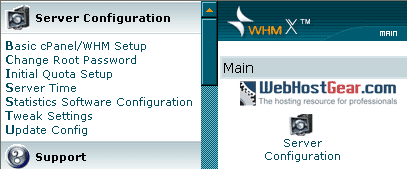
Login to WHM (Web Host Manager) and go to, Update Config:
Edge Release:
Right from a programmers hands, this is the first layer of Cpanel that is used for testing, patching etc. It has the latest fixes but isn't as well tested as other releases.
Current:
This is upgraded from the edge release so it has been tested a bit more.
Release:
Again another layer of testing, it is older code and has been run on more systems but it takes longer for updates to get to it. Recommended Selection
Stable:
Very old but the most stable version around, it has been tested the longest.
We recommend you set to manual updates, Release option. I prefer manual over automatic because I like to keep a better eye on what has been changed.
If you select manual and you want to perform the update simply scroll down WHM and go to Cpanel > Upgrade To Latest Version.
This will update Exim, scripts, themes, Perl and Cpanel if updates are available - it will only update to the Cpanel release type you selected previously.
To see if new updates are available go to http://layer2.cpanel.net
You can also click on the Change Log at the top of WHM to see their latest updates and releases.
Tweak Settings:
This is one of the most important sections of the configuration for your server. It's where you set settings that apply to all users on the server, like enabling certain stats programs.
Domains: Adding domains to the system.
Allow Creation of Parked/Addon Domains that are not registered
Allow Creation of Parked/Addon Domains that resolve to other servers (ie domain transfers) [This can be a major security problem. If you must have it enabled, be sure to not allow users to park common internet domains.]
Allow users to Park/Addon Domains on top of domains owned by other users. (probably a bad idea)
Prevent users from parking/adding on common internet domains. (ie hotmail.com, aol.com)
Mail: Email and related settings
Add the mail. prefix for mailman urls (ie http://mail.domain.com/mailman)
Attempt to prevent pop3 connection floods
BoxTrapper Spam Trap
Default catch-all/default address behavior for new accounts. fail will generally save the most CPU time.
Set to FAIL. This means that when someone sends to nonexisting@company.com it will bounce
Email users when they have reached 80% of their bandwidth . Highly recommended
Horde Webmail - a webmail interface that has custom skins, notes, filters and more.
Include a list of Pop before SMTP senders in the X-PopBeforeSMTP header when relaying mail. (exim 4.34-30+ required)
Mailman Mailing list software, clients can use it through their own Cpanel.
Neomail Webmail - Pretty crap webmail client with no features and not any longer supported
Number of minutes between mail server queue runs (default is 60). I'd leave it at 60
Prevent the user 'nobody' from sending out mail to remote addresses (php and cgi scripts generally run as nobody if you are not using phpsuexec and suexec respectively.) Do NOT turn this on if you're not using PHPSuexec, since you're reading this guide then leave this option UNCHECKED or all contact form mail will BREAK!
Silently Discard all FormMail-clone requests with a bcc: header in the subject line - Helps cut down on mail queue build up.
SpamAssassin - Awesome spam filtering tool, highly recommended.
SpamAssassin Spam Box delivery for messages marked as spam (user configurable) - allows users to configure it through their control panel, very nice.
SquirrelMail Webmail -Another webmail client, I don't like it personally.
The maximum each domain can send out per hour (0 is unlimited): If you have clients on your server I suggest entering a high value such as 500. This limits the sending amount of mail for the entire domain, not per email address. If they start reporting they can't send messages out you can increase it.
The number of times users are allowed to check their mail using pop3 per hour: 60 is recommended. That's 1 check per minute which is high enough.
Track the origin of messages sent though the mail server by adding the X-Source headers (exim 4.34+ required)
MySQL: Database stuff
Use old style (4.0) passwords with mySQL 4.1 (required if you have problems with php apps authenticating) - NOTE: Only use this if you have MySQL 4.1 installed.

 پاسخ با نقل قول